
How to get started with Appsify?
This guide takes you from a new account to your first affiliate. The owner dashboard walks you through the same steps, so you can follow along on screen.
-
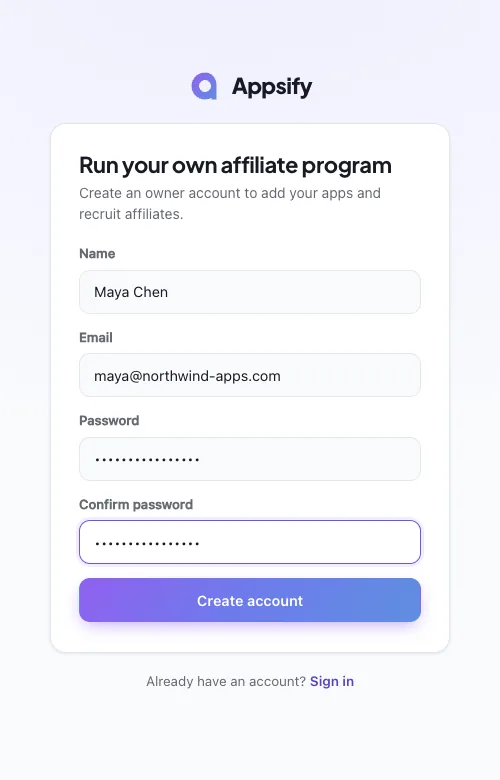
Create your owner account
Sign up with your name, email and a password. You land on your apps page, ready to add your first app.
-
Add your app and its commission
Open “+ Add an app”, enter the app’s name and choose how affiliates earn: a percentage of the first payment, or recurring. The rate starts at 50%. For recurring, set the number of months, or leave Months empty to pay for the customer’s lifetime.

-
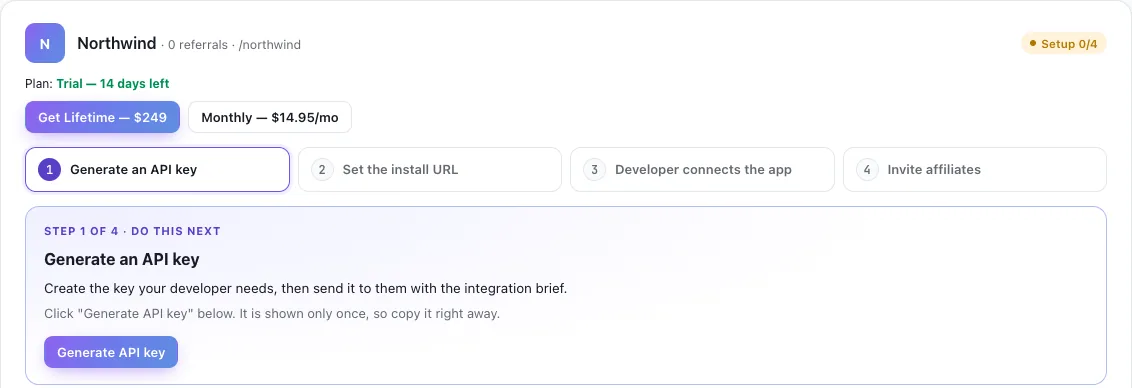
Follow the setup checklist
Each app card shows four steps: generate an API key, set the install URL, developer connects the app, invite affiliates. The next step is highlighted with what to do.
-
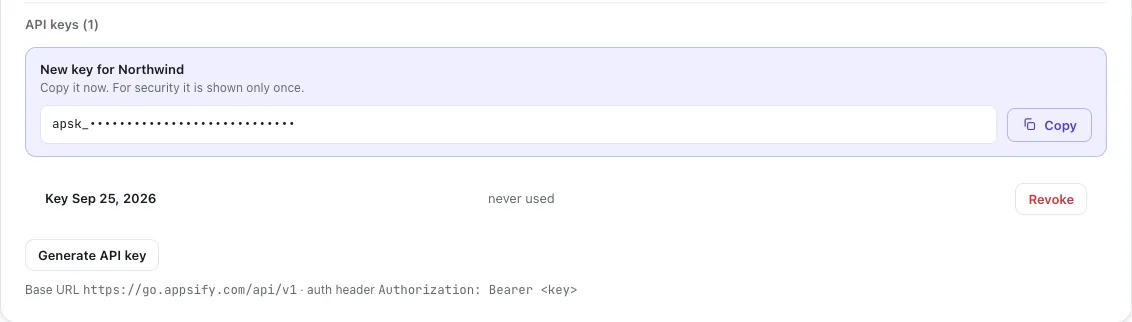
Generate an API key
Click “Generate API key” and copy it straight away: it is shown only once. The base URL and the header to send it in are listed under the key.
-
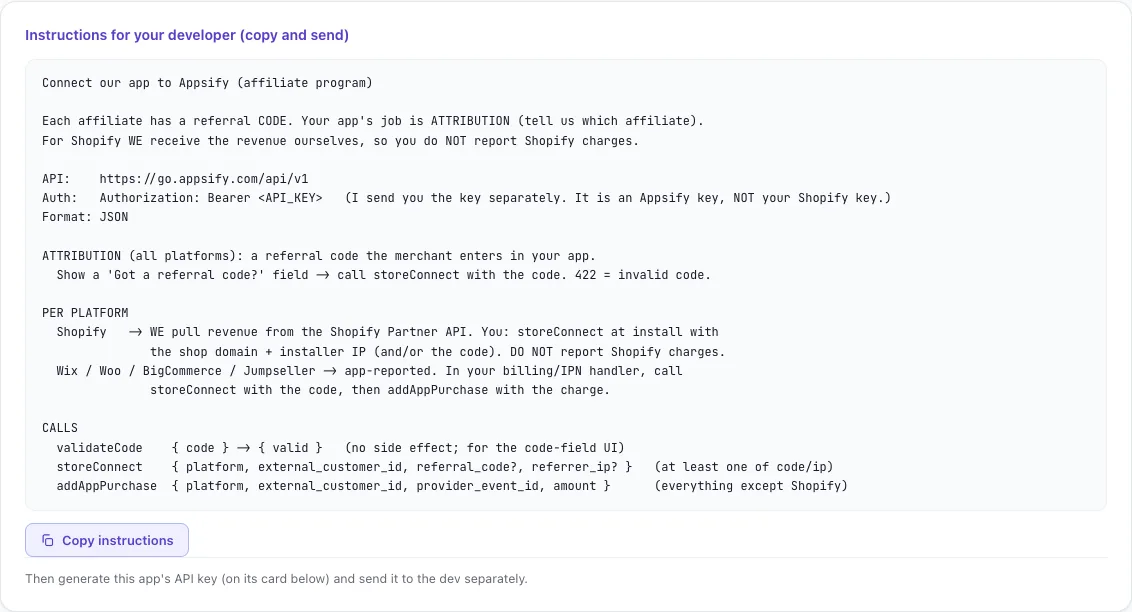
Send your developer the instructions
Open “Instructions for your developer”, copy them and send them with the key. Your app shows a “Got a referral code?” field and calls storeConnect when a merchant enters a code. For Wix, WooCommerce, BigCommerce and Jumpseller, your app also reports each charge with addAppPurchase. For Shopify, Appsify pulls the revenue from the Shopify Partner API, so your app doesn’t report Shopify charges.
-
Set the install URL and connect
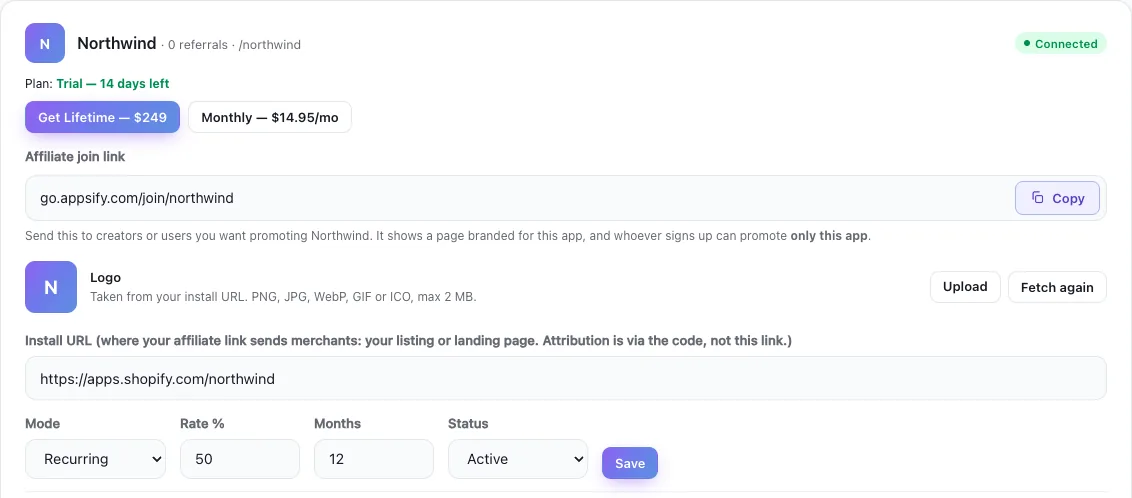
Paste the page your affiliate link should send merchants to, such as your app listing, and save. As soon as your app makes its first real API call, the card shows Connected.
-
Invite affiliates
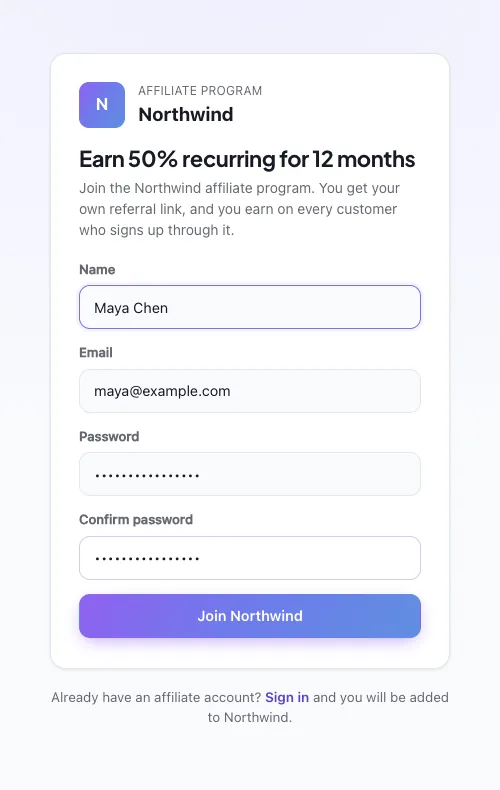
Copy the affiliate join link from the app card and send it to the people you want promoting your app. It opens a sign-up page branded for your app, and each affiliate gets their own referral link and code.
Related articles
Still stuck? Contact us.